Why Yahoo Mail Feels So Junky
(and What You Can Do About It)
If your Yahoo Mail inbox feels like a never-ending parade of spam, promos, and “junk,” you’re not imagining it. Between user reports of spam slipping through, mixed-to-poor public reviews, and policy changes that make clutter more painful, Yahoo Mail can be a frustrating daily experience — especially compared to rivals. Below, we break down why it happens, what real users say, and how to fight back.

Spam That Slips Through — and Keeps Coming Back
Yahoo openly acknowledges that “most spam… is caught by our spam filters,” but “some occasionally slip through,” and it urges users to train the system by marking unwanted messages as spam. That’s a polite way of saying you’ll still see junk in your inbox and need to correct it yourself.
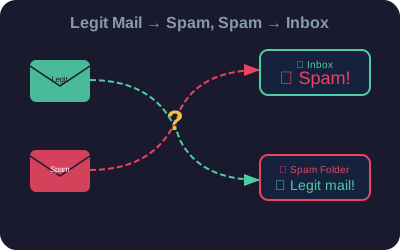
Real-world reports echo this. Users regularly describe waves of spam hitting the inbox despite marking messages as spam, with some users noting that legitimate senders are misfiled as junk while obvious spam lands in the inbox.
Yahoo also warns about “spam bombing” — a flood of junk meant to bury important messages. That’s a reminder that if your Yahoo address becomes a target, you can spend days wading through trash even when the filters are “working.”
Reviews: The Public Verdict Isn’t Kind
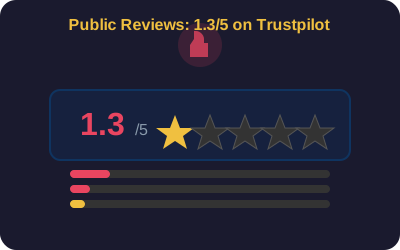
Broad consumer sentiment is rough. Trustpilot and other review sites show long-tail frustrations about reliability, support, and mail quality. Even more positive software-review sites still include complaints about misclassification, reliability issues, and account problems.
In short, the feeling of “junkiness” isn’t only about classic spam — it’s also about legitimate mail going to the wrong place, costing you time and trust.
The 2025 Storage Cut Made Junk a Bigger Problem
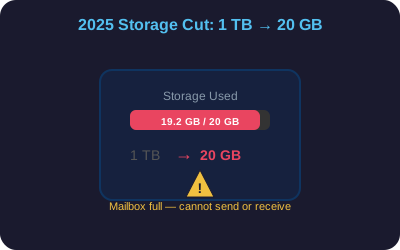
In 2025, Yahoo slashed free storage from 1 TB to 20 GB. Once you hit the cap, you can’t send or receive until you clear space or pay — meaning every newsletter, promo, or spam message literally consumes capacity.
The result is simple: junk mail now has higher stakes for Yahoo users than it used to.
Why Legit Mail Goes Missing (While Junk Shows Up)
Stricter bulk-sender rules and more aggressive enforcement can create a paradox: some legitimate mail gets routed to Spam while obvious junk still reaches the Inbox.
In short: Yahoo’s filters are stricter in some places and porous in others. The result is more noise for end users.
Reliability Wrinkles Amplify the Pain
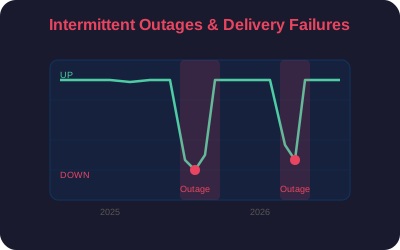
When a mailbox already feels junky, any outage or delivery hiccup makes it worse. Even intermittent failures compound the impression of an unreliable, cluttered service.
Junk by Design: Promos, “Offers,” and Categorization
Yahoo’s design now surfaces a lot of commercial content with tabs such as Offers, Social, and Newsletters. Helpful for sorting, but it can make the service feel like a marketing feed unless you curate aggressively.

So… Is Yahoo Mail “Bad”? Here’s the Candid Take
Yes, if you value a clean inbox
You’ll likely invest more effort in marking spam, building filters, and watching for misfiled legit mail than you would on competing services.
Yes, if you’re close to storage limits
After the 2025 cap, every piece of junk mail costs space, and exceeding the limit can freeze mail flow.
Maybe not, if you’re willing to tune it
Use Yahoo’s native apps, train the spam filter, unsubscribe ruthlessly, and build rules. It can work, but it requires steady housekeeping.
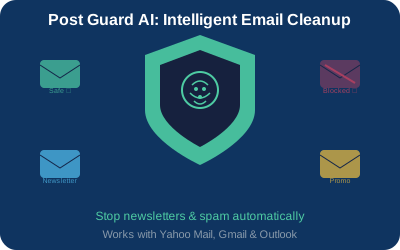
Tired of Fighting Yahoo’s Junk Problem?
Post Guard AI uses advanced artificial intelligence to stop newsletters and spam, automatically classify every incoming message, and perform email cleanup by routing junk to the right folders — so you don’t have to. Works with Yahoo Mail via IMAP, Gmail, and Outlook.